Python, set up for you
Install Python from python.org and Lunar Module finds it and sets everything up, even while it's open. Until then, a built-in Python runs your first programs.
 Lunar Module
Download
Version 5.3 · Free · macOS, Windows & Linux
Lunar Module is a calm, friendly Python editor for beginners. Write a few lines, press ▶ Run, and watch them work, with lessons, plain-English errors and Python built right in.
Opens and runs your first programs right away. Install Python too to unlock packages, and Lunar Module sets it up by itself.
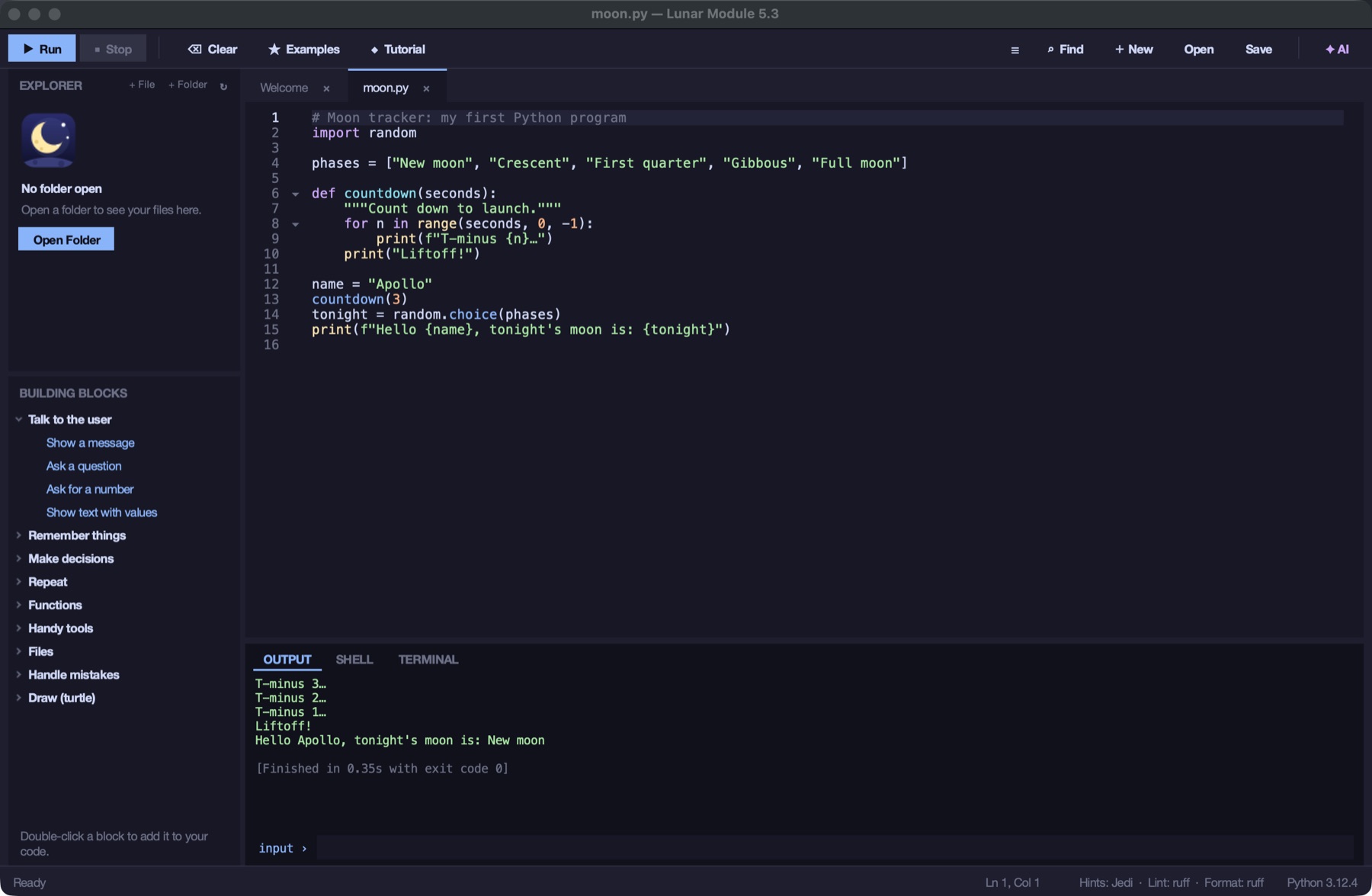
Mission equipment
Lunar Module starts simple and grows with you. Advanced tools stay out of the way until you ask for them.
Install Python from python.org and Lunar Module finds it and sets everything up, even while it's open. Until then, a built-in Python runs your first programs.
Twelve short lessons, from print() to a guessing-game project. Press Run and it tells you if you got it, or gives you a hint.
When a program crashes, you see what went wrong and on which line: “You tried to join text and a number…” instead of a wall of red.
Double-click “Ask a question” or “Repeat 5 times” and the code appears, imports and all. Tab jumps to the next part to change.
Install pygame, requests or numpy with a click. Look-alike names, brand-new packages and version clashes are flagged before anything installs.
Your own shell, right in the editor, already inside your project's private environment. On macOS, Windows and Linux.
Code you download opens in safe mode, so nothing runs until you say so. Your own files and lessons run straight away.
Turn your program into an app you can double-click and share with friends, pictures and sounds included.
Ask why your code crashed or what it does, and get hints, not homework done for you. It runs on your own computer with Ollama: no account, no cost, nothing sent online.
Flight deck
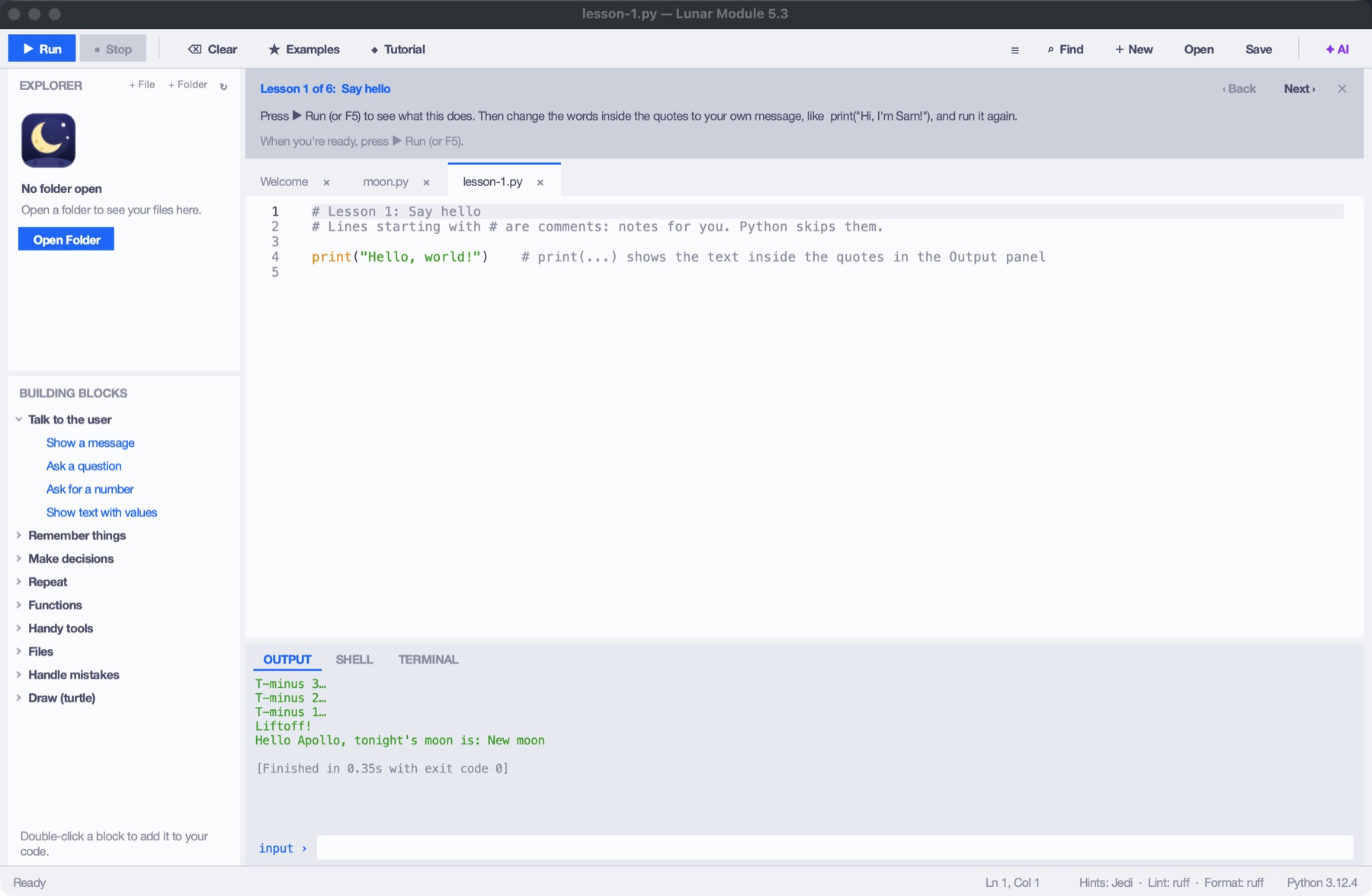
Launch sequence
Grab the app for your computer, and install Python from python.org. Lunar Module finds it and sets it up by itself.
Start from a template full of friendly comments, a lesson, or a blank page.
Press ▶ Run (or F5). Whatever your program prints shows up instantly.
# your first program
name = input("What's your name? ")
print(f"Hello, {name}! Ready for launch!")
About
Most code editors are built for professionals. They greet beginners with settings, extensions, terminals and errors written for experts. Lots of people give up before their first program ever runs.
Lunar Module goes the other way. It opens on a friendly welcome page and explains things in plain words. It keeps you safe from code you didn't write. The tools you'll need later, like a debugger, a linter, a terminal and packages, are all there, waiting until you're ready.
The name comes from the Apollo lunar module: small, focused, and built to carry first-timers somewhere new.
Made by an independent developer, SleepyDev.
Download
Lunar Module 5.3 · Free
Lunar Module uses the Python on your computer to install packages and make apps. Get it from python.org/downloads. On Windows, tick “Add python.exe to PATH” in the installer. Already have it? Skip this step.
Installed it after opening Lunar Module? No restart needed: it notices Python within seconds and switches to it.
Apple chip (M1 or newer) or Intel
Older Mac with an Intel chip? Download the Intel version. (Apple menu › About This Mac shows which chip you have.)
You only do this once. It happens because Lunar Module isn't notarized by Apple yet, not because something is wrong.
Windows 10 & 11, 64-bit
The warning shows for new apps that aren't code-signed yet.
64-bit · Ubuntu 22.04+, Mint, Debian, Fedora · Chromebooks
tar xzf LunarModule-linux.tar.gz
cd LunarModule
./install.sh
install.sh adds Lunar Module to your app menu, no password needed. The full guide is in README.txt inside the download, and ./uninstall.sh removes it again. On a Chromebook, turn on Linux development environment first.
Questions
Yes. No accounts, no ads, no trial. Download it and use it.
Yes, we recommend it. Install it from python.org and Lunar Module finds it and sets it up for you, even if the app is already open. Without it, a small built-in Python still runs your programs, but you can't install packages like pygame or turn programs into apps, and Lunar Module shows a reminder.
macOS and Windows show a warning for apps that haven't been signed with a paid Apple or Microsoft certificate. Lunar Module isn't signed yet. The steps in the Download section get you past it once. Always download Lunar Module from this website or its official download page, never from somewhere else.
Lunar Module checks every package before installing it: that it exists, that the name isn't a look-alike of a popular package, how new it is, and whether it works with your Python. Then it shows everything that will be installed and asks. Each project keeps its packages in its own private environment, so projects can't break each other.
Yes, and it's free. The ✦ AI panel explains your code and errors in simple words and gives hints, so you learn to fix things yourself. It never writes or changes your code. It runs on your own computer through Ollama, a free program, so there's no account, no subscription, and your code never leaves your computer. It's optional: you choose a model to download (from 1 GB for older computers to 4.7 GB for the best answers), or don't use it at all.
Yes. turtle works out of the box, and pygame, Pygame Zero, arcade and Ursina are one click away in Tools › Packages. Their windows open in front of the editor.
It's designed for them, but turn off Simple Mode and you get a debugger with breakpoints, linting and formatting with ruff, smart completions with Jedi, go to definition, rename, a real terminal and more.
Your first program is a few minutes away.
Download Lunar Module